


My Town : Cinema
4.357.00 Reviews
App Specs
- Version
- 7.03.06
- Updated On
- License
- $4.49
- Downloads
- 10,000+
- Developer
- My Town Games Ltd
- Categories
- Educational
- Platform
- Android
Screenshots
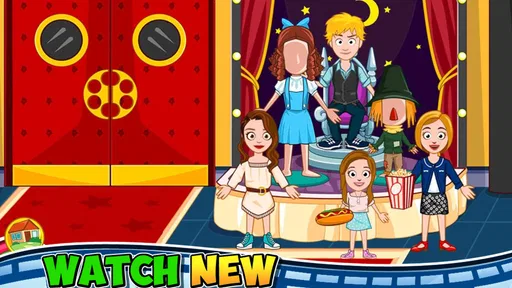
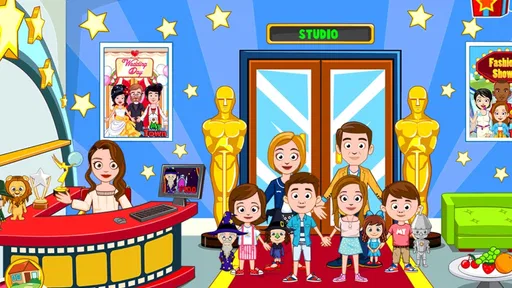
 Analysis by AppCompare
I approached My Town : Cinema as a small role-playing playground rather than a traditional lesson-based game. That distinction matters. It is an educational game from My Town Games Ltd, but its learning value comes through pretend play: children can explore a cinema setting, choose characters, act out scenes, and make up their own stories around movies. The central appeal is not winning a difficult challenge. It is having a familiar place to experiment with roles and simple narratives.
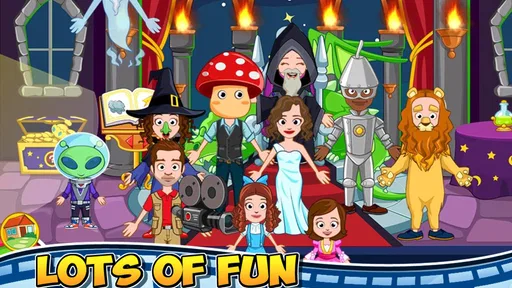
The store summary describes the experience neatly: players can watch different movies, become an actor, or take the director’s chair. In practice, I found that idea most useful for children who enjoy arranging people and objects, changing roles, and repeating a scenario until it feels right. It is better understood as a digital dollhouse with a cinema theme than as an interactive film course or a game built around quizzes.
That makes the buying decision fairly straightforward. If you want open-ended imaginative play with an educational flavor, this is an appealing choice. If you want measurable progress, structured teaching, competitive play, or a long campaign with increasingly difficult stages, you should look at other kinds of games instead.
What the cinema setting actually offers
The setting gives children several natural starting points for play. A cinema can become a place to watch a story, a workplace where different people have jobs, or a miniature film studio where the child invents a production. I like this flexibility because it avoids forcing one correct way to use the game. A child can simply explore, or an adult can turn the same setting into a storytelling prompt.
The strongest part is the role switching. One moment, the child can imagine being an actor; the next, the director who decides what should happen. That change encourages perspective-taking without presenting it as a formal exercise. A child who usually prefers watching may enjoy controlling the action, while a child who likes performing can focus on characters and scenes.
I would not describe the experience as a detailed filmmaking simulator. The appeal is lighter and more immediate. It gives children a recognizable environment and enough room to create short stories, but it is not designed to teach camera work, editing, screenwriting, or the technical side of cinema. Parents should choose it for creative play, not professional-style instruction.
The educational category makes sense when viewed through that lens. Children practice sequencing events, assigning roles, remembering what they intended to do, and communicating a story through play. Those benefits depend heavily on how the game is used. A child who only taps around for a few minutes may get entertainment, while a child who creates a beginning, middle, and ending can turn the same session into a useful storytelling activity.
Worth Reading Before You Choose

Flipboard Shows What News Apps Must Do Beyond the Feed

Switching to Android Auto Means Rethinking Your Driving Routine

Google Calendar Makes a Crowded Week Easier to Manage

Ludo King Makes the Most of the Minutes Between Plans

Baby Panda World Brings Quick Play to Modern Phones, but Its Game Library Feels Busy

ESPN’s Live Game View Makes Following Close Games Easier
Why the open-ended format is its main strength
Many children’s games reward a narrow action: answer correctly, finish a level, collect an item, or repeat a pattern. This one is more relaxed. I found that the absence of a single obvious objective can be a strength for children who become frustrated by failure screens or strict timers. They can explore at their own pace and return to the same setting with a different idea.
That freedom also creates a practical benefit for shared play. An adult can suggest, “Let’s make a movie about a lost character,” and the child can decide how to stage it. Another day, the child might invent a comedy or pretend to run the cinema. The setting supports these changes without requiring a new game each time.
A useful technique is to give each session a small production brief. Ask the child to choose a main character, decide what problem appears, and then show how the story ends. This turns free play into a simple narrative exercise without taking control away from the child. It also helps children who like the idea of storytelling but do not know how to begin.
Another good approach is role rotation. Let the child direct the first story, then ask them to act in the next one while someone else decides what happens. This reveals a subtle strength of the cinema theme: it naturally supports discussion about cooperation, listening, and how the same scene can look different from another person’s point of view.
How I would use it in an everyday family routine
Imagine a rainy afternoon when a child has finished homework but is not ready for a long television program. I would set a short challenge: create a movie with one hero, one problem, and one surprising ending. After the child builds the scene, I would ask them to explain why each character is there. The game becomes a starting point for conversation rather than an isolated screen activity.
For younger children, the adult can narrate while the child chooses characters and actions. For children who are more confident, the adult can step back and let them direct the whole scenario. This adjustable involvement is important because the game itself does not need to carry every learning goal. A parent, sibling, or teacher can add the language, planning, and reflection that make the play more meaningful.
It can also work as a calm transition between activities. Instead of expecting a child to stop one demanding game and immediately move to dinner or bedtime, a short cinema story provides a clear endpoint: finish the scene, explain the ending, and put the production away. That will not suit every household, but the contained theme makes it easier to create a beginning and an end to play.
Where it wins against familiar alternatives
Compared with quiz-based educational games, this title is less focused on right answers and more focused on expression. That makes it a better fit for a child who already spends enough time practicing letters, numbers, or factual recall and would benefit from imaginative activity. It may also be more inviting for a child who avoids games that make mistakes feel obvious.
Compared with heavily structured adventure games, the cinema setting offers more freedom but less direction. A child does not need to follow a long chain of objectives to enjoy it. This is helpful when the goal is a short creative session, especially on a shared device. The trade-off is that children who need constant prompts may quickly ask what they are supposed to do next.
Compared with general digital dollhouse games, the cinema theme gives play a stronger narrative frame. The child is not only arranging a home or moving characters around; they can imagine a production with performers and a director. That framing can make storytelling easier because the child has an obvious reason for creating a scene.
However, a general sandbox may be the better choice for children who want a broader world with many unrelated locations and activities. This game’s identity comes from its movie setting. That focus is its advantage when the theme matches the child’s interests, but it can feel narrow to a player who wants animals, shops, schools, homes, and outdoor spaces all in one place.
Who should choose it, and who should pass
I would recommend it to families looking for a gentle, creative game for children who enjoy pretend play. It is especially suitable when the child likes acting out conversations, inventing characters, or telling stories with toys. The Everyone content rating also makes it easier to consider for a broad family audience, though an adult should still decide whether the style matches the individual child.
It is also a sensible option for a parent who wants to participate occasionally without needing to learn complicated controls or rules. The cinema concept is immediately understandable, so an adult can join a story quickly. Teachers or caregivers could use the theme as a prompt for sequencing, character description, or group storytelling, although the game should support the activity rather than replace direct interaction.
I would skip it for a child who expects a conventional game with levels, competition, unlockable progression, or a strong sense of achievement. It is not the right purchase if your main goal is mathematics practice, reading drills, language lessons, or a carefully measured curriculum. In those cases, a dedicated learning app with explicit exercises will be more appropriate.
I would also hesitate if the child loses interest whenever a game does not tell them exactly what to do. Open-ended play can feel liberating to one child and empty to another. Before buying, consider whether the child already enjoys making up stories with figures, drawing scenes, or directing family members. If those activities are usually enjoyable, the cinema format has a better chance of holding attention.
Practical details that affect the decision
The game costs $4.49, so the question is not whether it is expensive compared with every possible app, but whether this particular style of play will be used repeatedly. A one-time purchase can make sense when a child returns to imaginative games often. It is harder to justify if the child tends to try a theme once and immediately move on.
On the Android side, it requires version 8.0 or newer. The current version is 7.03.06, and the title has been available since November 16, 2016. Those details make it a long-standing entry in the series rather than a newly launched experiment, while the operating-system requirement is still worth checking before installing it on an older device.
The listing shows a 4.3 average from around 328 ratings, with over 10 thousand installs. I read those figures as signs of a modest but established audience, not as proof that every child will respond to it. Ratings can tell you that the concept works for many families, but they cannot replace matching the game’s open-ended style to the child’s personality.
One point I would clarify before purchase is the meaning of “watching movies.” I would not approach this as a service for streaming full films. The phrase belongs to the game’s pretend-play setting: the child is interacting with a cinema world and imagining productions. That expectation check prevents disappointment for anyone looking for real video entertainment.
The price and format also affect device sharing. If several children use the same device, the game can become a shared storytelling space, with each child taking a different role. If every child expects a separate, personalized progression path, the open-ended design may not provide the kind of individual tracking they want. Its value is in replaying scenarios, not in building a detailed personal record.
Small habits that make the experience better
I found that a little structure improves the first session. Rather than handing the game over with no context, I would start with one simple prompt: “Who is making the movie, and what goes wrong?” This gives the child a reason to explore the setting while leaving all the creative decisions in their hands.
For a child who repeats the same actions, introduce a production rule. The director must give every character a job, or the ending must solve the original problem. These rules are not built-in difficulty levels; they are ways for adults to add depth without turning the game into a worksheet.
Another useful habit is to retell the story after playing. Ask the child what happened first, what changed, and how the movie ended. This is a more valuable follow-up than simply asking whether the game was fun, because it encourages memory and sequence while keeping the conversation connected to the child’s own creation.
If siblings play together, assign rotating responsibilities rather than letting the most confident child control everything. One child can choose the characters, another can direct, and another can narrate. Switching jobs keeps the cinema theme from becoming a one-player performance and gives quieter children a clear way to contribute.
Finally, keep expectations realistic about replay value. The game can support many different stories because the child supplies much of the variation. That is a creative advantage, but it also means replay value depends on imagination. If you want fresh content to arrive automatically through a large progression system, a more structured alternative will probably feel more satisfying.
My recommendation after weighing the trade-offs
My overall view is positive, with one important condition: choose this game for imaginative cinema play, not for formal academic instruction. The setting gives children an approachable way to act, direct, and arrange stories, and the role changes create more substance than the short store description might suggest. It is at its best when an adult occasionally adds a prompt or joins the production.
The main limitation is also clear. Without a child who enjoys inventing scenarios, the freedom may feel like a lack of content. There is no reason to buy it for competitive challenge, detailed filmmaking skills, or a lesson plan with visible milestones. Those needs belong to other categories, and choosing a different app would be the more honest recommendation.
For families already familiar with the My Town style, the cinema theme is a focused addition to pretend play. For newcomers, it is a low-pressure way to test whether a child enjoys open-ended digital storytelling. I would consider the purchase worthwhile when the child regularly turns ordinary objects into characters and likes being in charge of the story.
My final advice is to buy it when the child’s imagination is the feature you want to support. Start with a short story prompt, rotate the director and actor roles, and talk through the finished scene afterward. Used that way, this educational game offers more than passive screen time while staying simple enough for relaxed family play. If your priority is structured learning or achievement-driven gameplay, save the money for a more specialized alternative.
Pros
- Creative role-play with cinema-themed characters and locations.
- Simple controls make it accessible for younger children.
- Many objects can be moved
- combined
- and used for storytelling.
- Bright visuals and playful animations keep scenes engaging.
- Works well for open-ended
- screen-based imaginative play.
Cons
- Limited challenge may feel repetitive after extended play.
- Some content and features may require additional purchases.
- Large scenes can be distracting for children who prefer structure.
- Performance may vary on older or less powerful devices.
- Open-ended gameplay offers little guidance or progression.
FAQs for My Town : Cinema
What is My Town: Cinema?
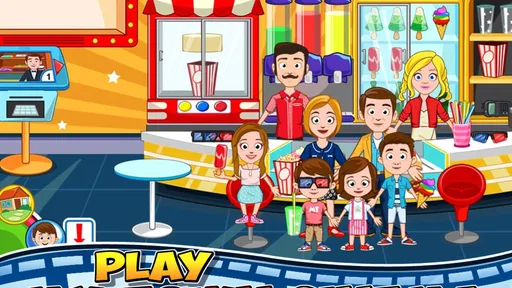
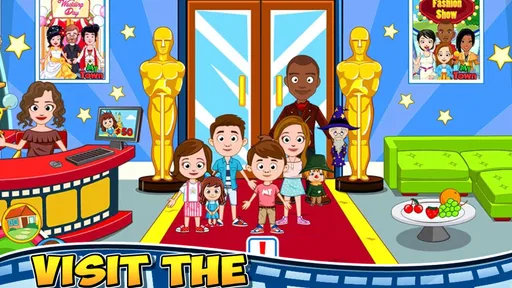
My Town: Cinema is a creative, interactive role-playing game for children where players can explore a movie theater and invent their own stories. You can act as different characters, choose outfits, visit areas such as the lobby, screening rooms, snack counter, and backstage spaces, and create scenes without following a fixed mission structure. It is designed around open-ended play and imagination.
How do you play My Town: Cinema?
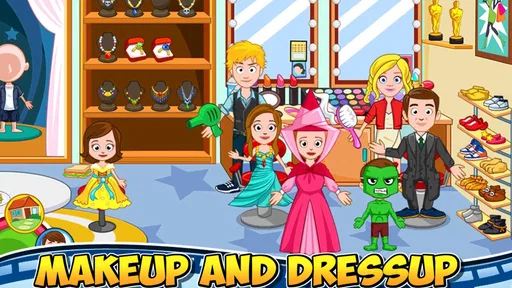
Gameplay is based on tapping, dragging, and interacting with objects and characters throughout the cinema. Players can move people between rooms, change their clothes, use theater equipment, buy or prepare snacks, and arrange scenes as they like. There is generally no required order of tasks, so children can freely experiment and create stories rather than compete against a timer or traditional score.
Is My Town: Cinema suitable for children?
My Town: Cinema is primarily aimed at young children, especially those who enjoy pretend play, storytelling, and exploring colorful environments. The controls are simple and the content is generally family-friendly. Parents should still review the app’s age rating, advertising settings, in-app purchase options, and privacy information before allowing a child to play, particularly when the device is shared.
Does My Town: Cinema require an internet connection or include purchases?
The game may allow much of its core play to work offline after installation, which is useful for travel or situations without reliable connectivity. However, certain features, updates, advertisements, or store-related functions can depend on the platform and version. Availability of paid content may also vary, so check the Google Play or App Store listing for current purchase details before downloading.
Is My Town: Cinema free to download?
Whether My Town: Cinema is free, paid, or includes optional purchases can differ between Android and iOS, as well as by region and current publisher promotions. Before installing, check the official store page for the exact price, supported devices, subscription information, and any in-app purchases. Reviewing these details in advance helps parents understand the total cost and avoid unexpected charges.


